Free flowchart maker
Free online flowchart maker
flowdraft is a free flowchart maker that runs in your browser on computers, phones and tablets. Open it and start drawing right away: nothing to install, no account to create. Drag in steps, decisions and start/end shapes, join them with arrows, and sign in with a free account when you want to save to the cloud or export a PNG, SVG or JSON file.
- Free
- No account needed to draw
- Works on phones and tablets
- Export to PNG, SVG and JSON
- English and Turkish
How to make a flowchart online in 4 steps
- Open the editor. It fills the top of this page and is ready at once. Start on the blank canvas or pick a template under File → New flow.
- Add shapes. Drag Start / End, Step and Decision from the parts panel on the left onto the canvas. On a phone, tap Add at the bottom.
- Connect them. Drag from a dot on one box's edge to another box. Select each arrow that leaves a decision and label it “Yes” or “No”.
- Save and export. Your drawing stays on this device as a draft. Sign in with a free account to save it to the cloud, turn on auto-save and export a PNG image, an SVG vector or editable JSON.
For planning tips, swimlanes and shortcuts, read the full guide on how to make a flowchart.
What you can draw with this flowchart maker
flowdraft's ready-made parts cover the flowcharts most people need:
- Process flowcharts for orders, refunds, approvals and onboarding.
- Algorithm flowcharts for programming classes, such as the flowchart to find the largest of three numbers, even or odd and factorial.
- Swimlane diagrams that show which person, team or system does each step.
- Workflow and automation diagrams with bots, systems, databases and human approval steps.
- Chatbot and conversation flows drawn with chat bubbles.
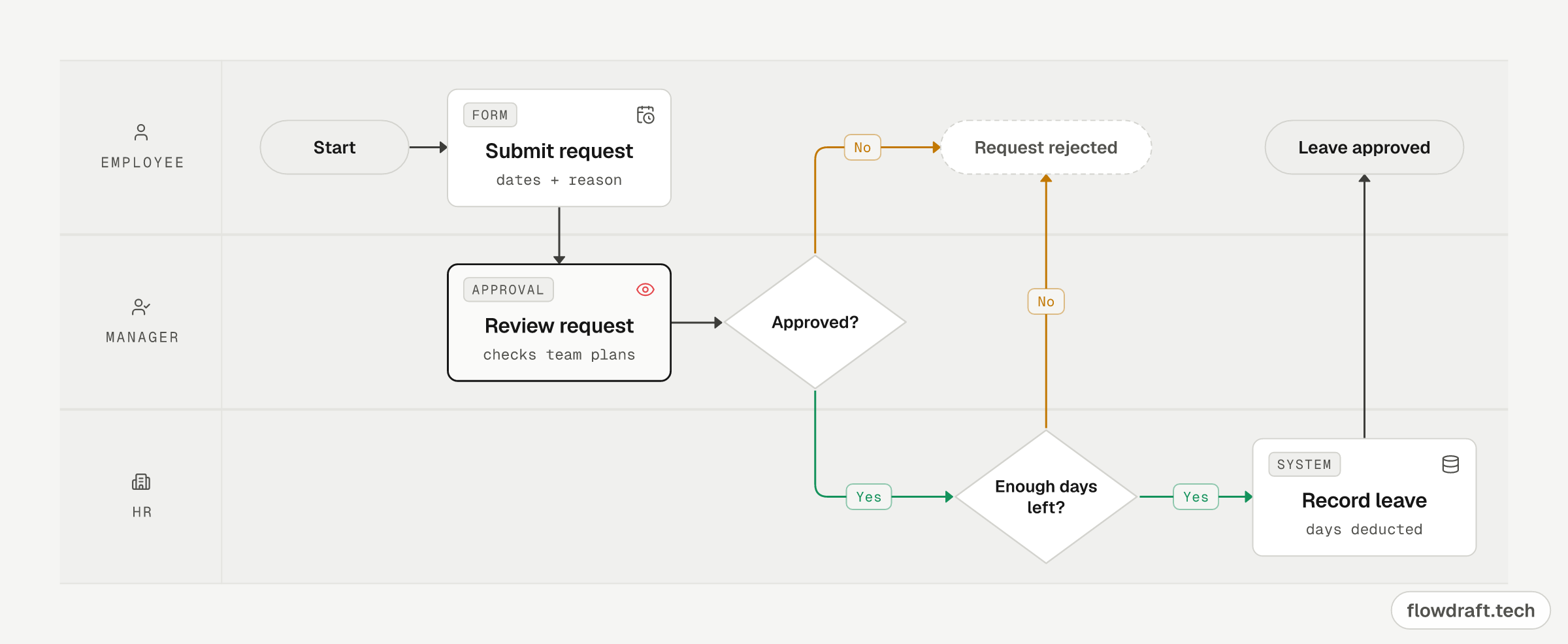
Features of the free flowchart maker
- Works without an account; your drawing is kept on the device as a draft
- Ready-made parts: step, decision, human approval, start/end, person, bot, system, database, chat bubble, note, swimlane
- Connections: solid, dashed or dotted; 6 colors; stepped, curved or straight; flow animation and labels
- Export to PNG, SVG and JSON
- Cloud save and auto-save with a free account
- Draw flows from AI tools such as ChatGPT, Claude and Cursor over MCP
- Turkish and English interface, light and dark theme, installable as a PWA
Flowchart symbols, ready to drag in
The parts panel covers the standard flowchart symbols: an oval Start / End, a Step for each action, a Decision diamond for yes/no questions and arrows for the direction of flow, plus person, bot, system, database, note and swimlane parts. For input and output, use a Step card tagged INPUT or OUTPUT. Every shape and its meaning is in the guide to flowchart symbols.
Make a flowchart with ChatGPT or Claude
Add flowdraft to ChatGPT, Claude, Claude Code, Cursor or VS Code as an MCP server at https://flowdraft.tech/mcp. Describe a process in the chat and the AI draws it as a real flowchart in your account. Claude and ChatGPT show a picture of it in the chat, and you can keep editing it here. For setup, see flowcharts with ChatGPT or Claude and the MCP setup page.
Flowchart guides and examples
- What is a flowchart?The meaning of a flowchart, its main types and symbols, and how to make one step by step.
- Flowchart symbols and their meaningsAll 19 common shapes, the 5 you'll use most and the rules for using them.
- Flowchart examplesLargest of three numbers, even or odd, factorial, sum of 1 to N, an order process and more, each ready to edit.
- Flowcharts with ChatGPT or ClaudeThree ways to get a flowchart from AI, and how to connect the flowdraft MCP server.
- 30-second product tourSee flowdraft in action in a short video.
Frequently asked questions
How do I make a flowchart online for free?
Open flowdraft in your browser, drag Start / End, Step and Decision shapes onto the canvas and connect them with arrows. Drawing needs no account; sign in with a free account to save to the cloud and export PNG, SVG or JSON.
Do I need to download or install anything?
No. flowdraft runs in any modern browser. On a phone or tablet you can also add it to your home screen as an app (PWA).
Is flowdraft free?
Yes. flowdraft is completely free and you don't even need an account to draw. A free account lets you save projects to the cloud.
Can I use it without an account?
Yes. flowdraft works the moment it opens and keeps your drawing on this device as a draft. Saving, exporting and auto-save ask you to sign in.
Which formats can I export to?
A PNG image, an SVG vector or a JSON file you can open and edit again.
Can ChatGPT or Claude draw flows for me?
Yes. Add https://flowdraft.tech/mcp as an MCP server in ChatGPT, Claude, Claude Code, Cursor or VS Code; the AI can list, read, create and update the flows in your account.
Does it work on phones and tablets?
Yes. flowdraft runs in the browser on phones and tablets, and can be added to the home screen as an app (PWA).